Mark the points yourself
Mark where each point starts and ends, and who won, as you watch.
Quick steps
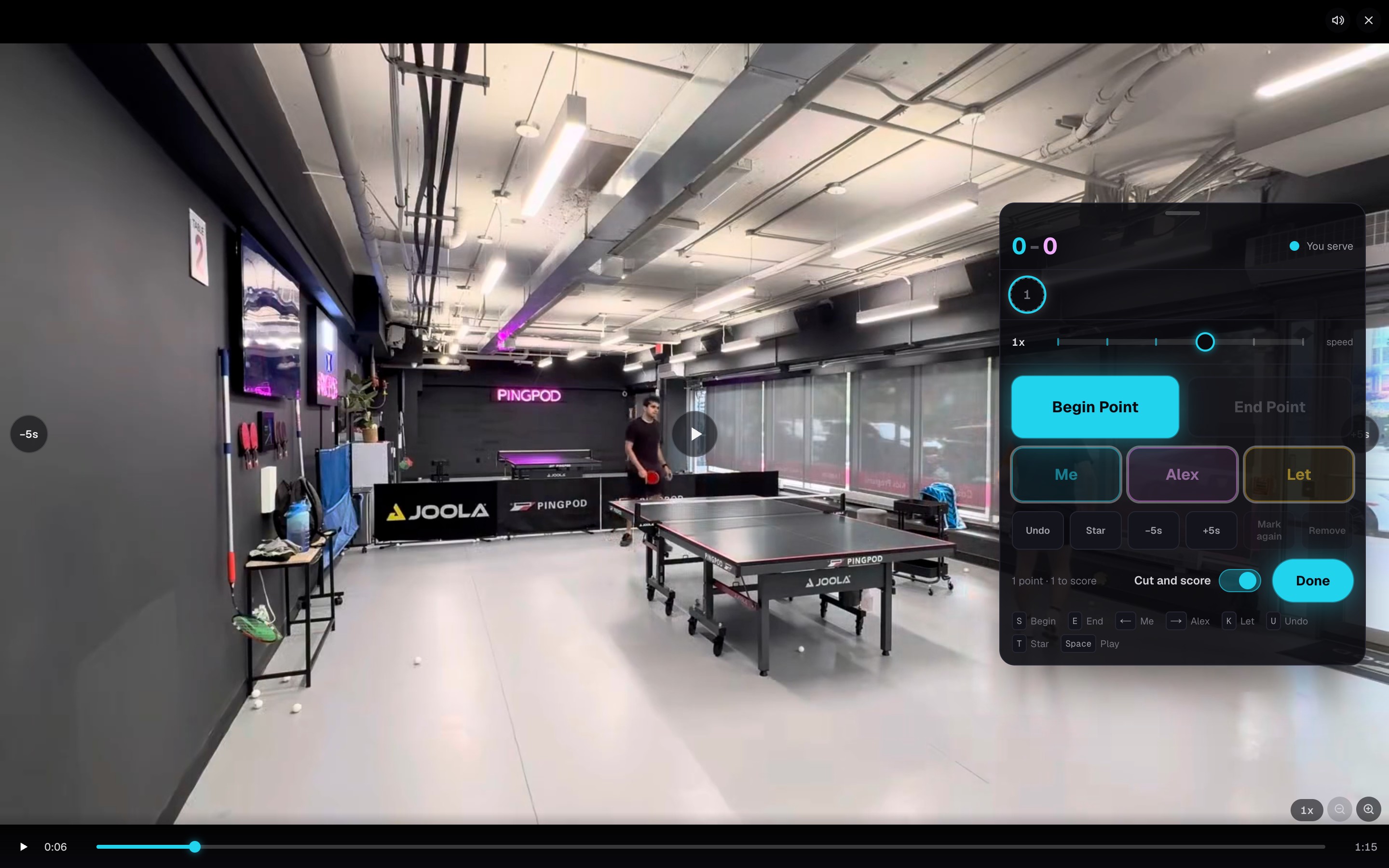
- 1Choose Mark the points yourself when you upload or record, or on a match that has not been broken into points yet.
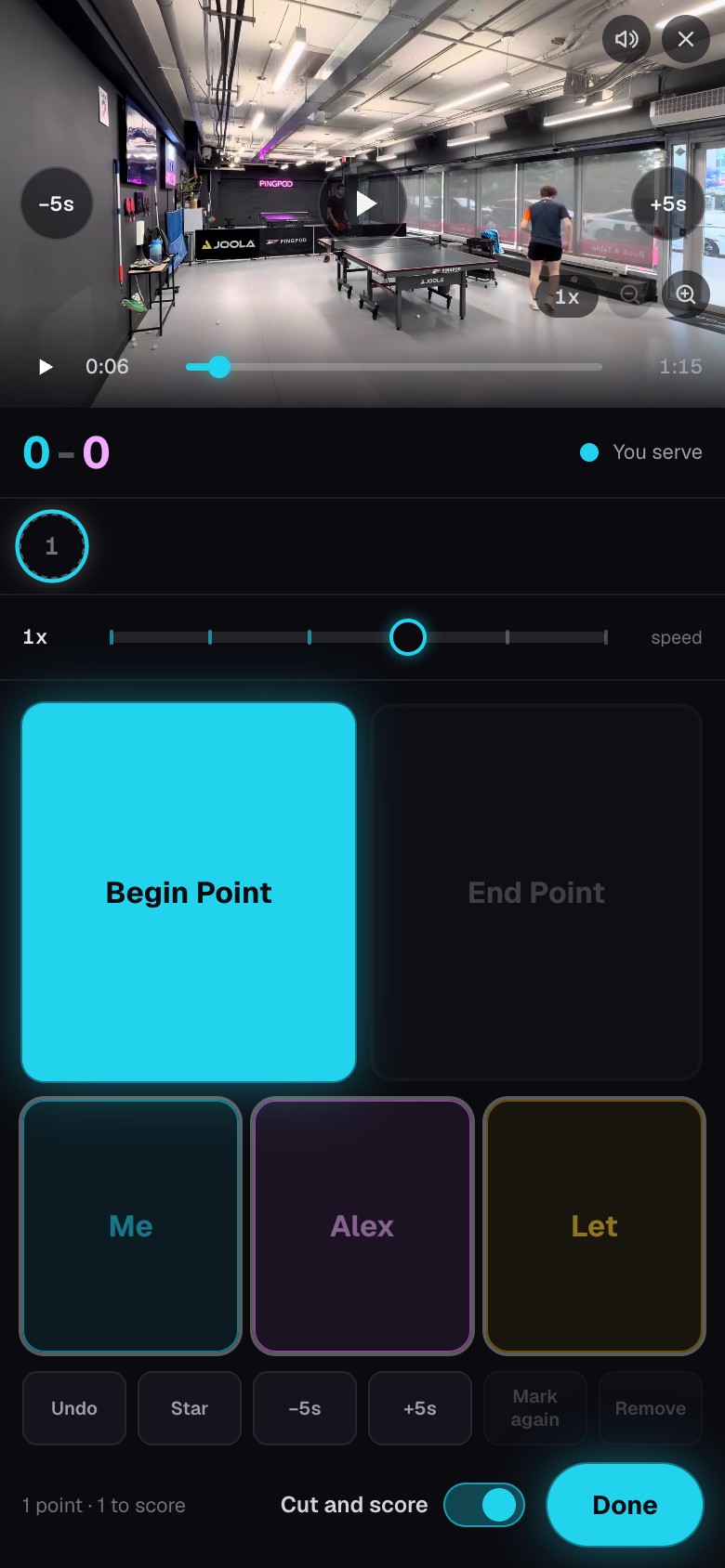
- 2Leave Cut and score on to say who won each point as you go, or turn it off to mark the points only.
- 3Choose Start marking, answer Who served first, then choose Begin Cutting.
- 4Tap Begin Point when the serve starts and End Point when the rally is over. With Cut and score on, choose who won.
- 5Choose Done, check the summary, then choose Cut the match.
Fix a mark as you go
- Back to last point takes back a Begin Point you pressed too early.
- Undo reverses your last change.
- Tap a point to watch it again. Adjust moves its start or end, Mark again redoes it, and Remove deletes it.
- The + beside a point adds a rally you missed.
- Choose Let for a point that should not count.
Good to know Your marks are saved as you go. Close the marker whenever you like and choose Keep marking to carry on.
After Cut the match
PongLens cuts the video into the points you marked, and the match opens with them when it is ready. With Cut and score on, the match is already scored, so the analysis and highlights follow without another pass.
Keyboard shortcuts
- S begins a point and E ends it.
- The left and right arrow keys choose who won, and K marks a let.
- U undoes, T stars the point, and Space plays or pauses.
- Hold Shift with an arrow key to move five seconds.
Mark a match again
To mark a match that already has points, open More options on the match and choose Mark the points yourself. Keep marking starts from the points already there, Clear the scores keeps the points and drops every answer so you can call them again, and Start again clears the points themselves.
When you finish, choose Replace this match or Keep this match and add a new one. Replacing keeps each point's score but deletes its point notes. Match notes always stay with the match.
Keep going
Try it on your next match.
Every account starts with 100 free processing minutes and 25 GB of storage.
Upload your first match